
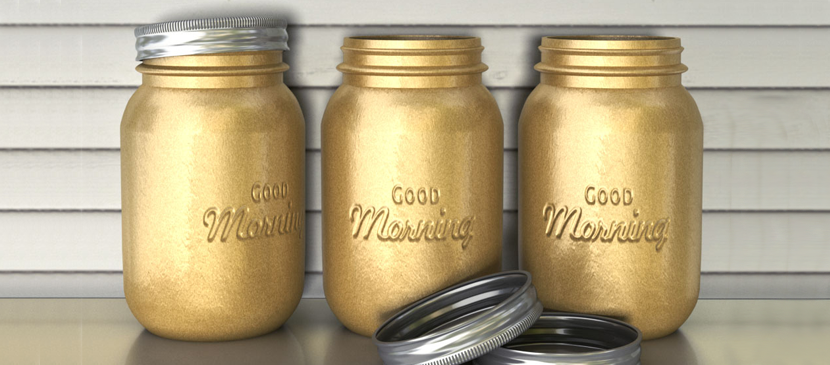
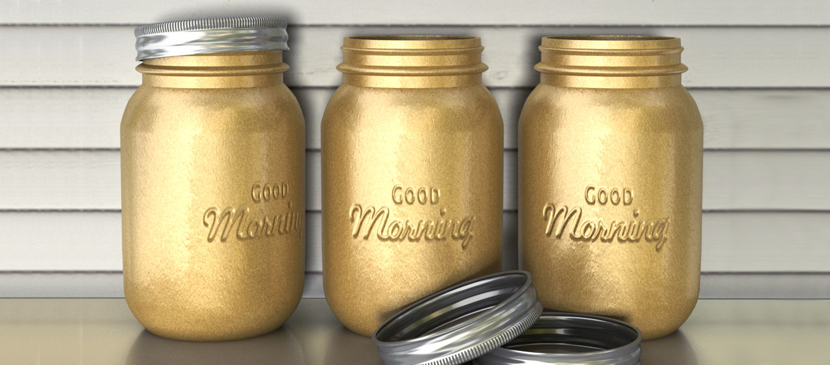
In this tutorial, you will learn how to use Photoshop CC’s 3D capabilities to create a mason jars-inspired jar from scratch. Then, you’ll modify its material Settings to give it a golden metallic spray painted appearance, and add some embossed text on it using Bump maps. You’ll then add the jar(s) created to a simple scene, and modify the final outcome in a couple more steps.
العربية: لا توجد ترجمات متاحة بعد بـالعربية.عرض بالإنجليزية — showing the original English article below.
Making a 3D Golden Text Printed on the Jar
العربية
أفضل ما في Photoshop Lady
أدلة ومراجعات ونصائح متخصصة مباشرة إلى بريدك الإلكتروني. بدون رسائل مزعجة، يمكنك إلغاء الاشتراك في أي وقت.