
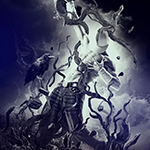
Learn how to use Photoshop to create an amazing photo manipulation using several clever techniques such as using the Liquify tool to bend twigs and branches. The most important part of this tutorial will show you how to use layer blending modes and the Shadow/Highlights adjustment to create an ethereal tone effect.
中文: 暂无 中文 翻译。查看英文版 — showing the original English article below.
Create Incredible Surreal Photo Manipulation of a Dancer
中文

Photoshop Lady 精选内容
专业指南、评测和技巧直接送达您的收件箱。无垃圾邮件,随时退订。