
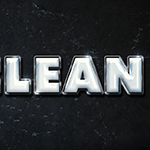
Using multiple layer styles can help achieve a more detailed and 3D-looking effect. This tutorial will show you how to use layer styles, filters, textures, brushes, and adjustment layers to create a shiny, clean plastic text effect in Adobe Photoshop. Let's get started!
Bahasa Indonesia: Belum ada terjemahan yang tersedia dalam Bahasa Indonesia.Lihat dalam bahasa Inggris — showing the original English article below.
How to Create a Clean Glossy Plastic Text Effect
Bahasa Indonesia

Yang terbaik dari Photoshop Lady
Panduan ahli, ulasan, dan tips langsung ke kotak masuk Anda. Tanpa spam, berhenti berlangganan kapan saja.